Getting Podcasts (Work in Progress)

The Podcast Downloader:App

To get podcasts on your IPod with Rockbox. You will need a way download and sync podcasts to your IPod. By the way, Gpodder is my recommended app to fetch podcasts. Although it has a dated User Interface and experience, it is the best app I found for this task on Linux, that is also available for Windows and macOS.

Install Software from link

Gpodder websitehttps://gpodder.github.io/ 

Setup Gpodder:
  1. Launching the app.
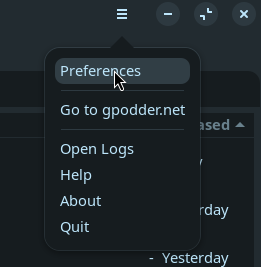
  2. Open Preferences from the hamburger menu in the top right corner.

    image.png

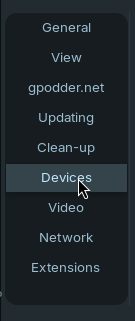
  3. Select the device preferences tab.

    image.png

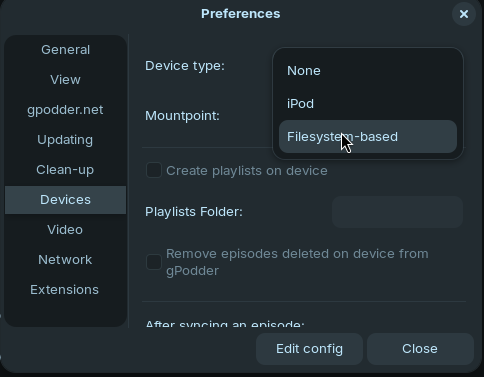
  4. Select the "Filesystem-based" option from the device type drop down.

    image.png

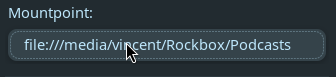
  5. Enter or browse for the podcast folder path from the top level of the IPods storage into the "mountpoint" setting.

    image.png

  6. I recommend turning off the option to "Create Playlists on Device".

    image.png

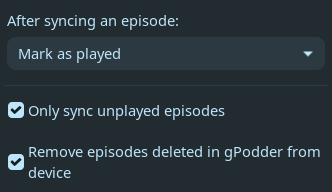
  7. Make sure the remainder options are set like in this image.

    image.png

Using Gpodder: