Install Software from link
**Gpodder website:** [https://gpodder.github.io/](https://gpodder.github.io/) ### Setup Gpodder: 1. Launching the app. 2. Open Preferences from the hamburger menu in the top right corner. [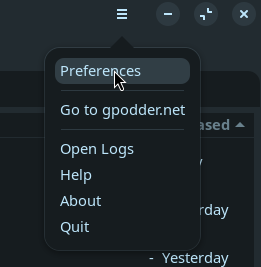](https://vascosi.wiki/uploads/images/gallery/2025-12/8FWimage.png) 3. Select the device preferences tab. [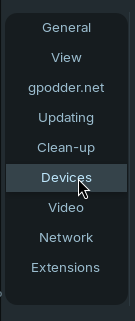](https://vascosi.wiki/uploads/images/gallery/2025-12/h5fimage.png) 4. Select the "Filesystem-based" option from the device type drop down. [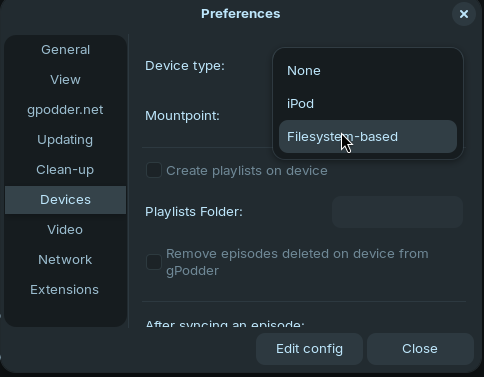](https://vascosi.wiki/uploads/images/gallery/2025-12/PFvimage.png) 5. Enter or browse for the podcast folder path from the top level of the IPods storage into the "mountpoint" setting. [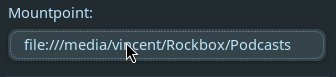](https://vascosi.wiki/uploads/images/gallery/2025-12/C16image.png) 6. I recommend turning off the option to "Create Playlists on Device". [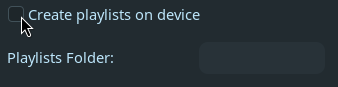](https://vascosi.wiki/uploads/images/gallery/2025-12/KrLimage.png) 7. Make sure the remainder options are set like in this image. [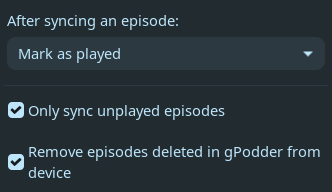](https://vascosi.wiki/uploads/images/gallery/2025-12/PDMimage.png) ### Using Gpodder: